I’m a devout user of Todoist, my to-do list software of choice. Todoist is how I keep track of everything I need to do in my life, from my friends’ birthdays to dropping something off at the Post Office and reading the news every day.
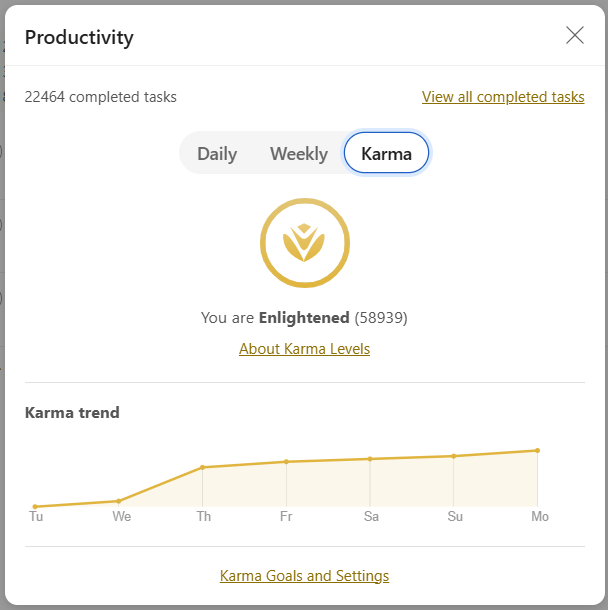
A challenge, however, is that I also want to track my college classes’ homework assignments within Todoist. That way I can have a single source of truth about the things I need to get done in my life. As it were, entering a lot of tasks at once in Todoist is a rough experience. Todoist isn’t really made for entering many tasks in one go, like the hundreds of class assignments I might have in a given semester. It relies mostly on natural-language input, parsing things like a task’s deadline, name, and type from human-readable text entered. I did a very unscientific time study on how long it would take to enter all of a given semester’s assignments using just the Todoist interface and I found it added up to about 30 seconds per assignment, which snowballs pretty significantly when considering scale.
One common way I’ve seen people solve this is by using a spreadsheet, often color-coded and beautified to an Instagram-worthy level. When I first started college a few years ago, I did this too: I had a colorful Google Sheet that I would update at the start of each semester. Using a spreadsheet is great at solving the entering-tasks-in-bulk problem – it’s way faster to enter values into a spreadsheet, just ask any banking analyst you know – but it doesn’t address the have-my-homework-in-Todoist problem. I don’t want to deal with looking two different places for my to-dos. The solution? I built something custom!
Building something from scratch
When broken down, there are two technical components to this problem: a data layer that can hold all the actual information (i.e., what my homework assignments are and when they are due); and a transport layer that pushes all the information from the data layer into Todoist (i.e., something that can interact with a data layer API and Todoist’s API, and translate between their desired formats).
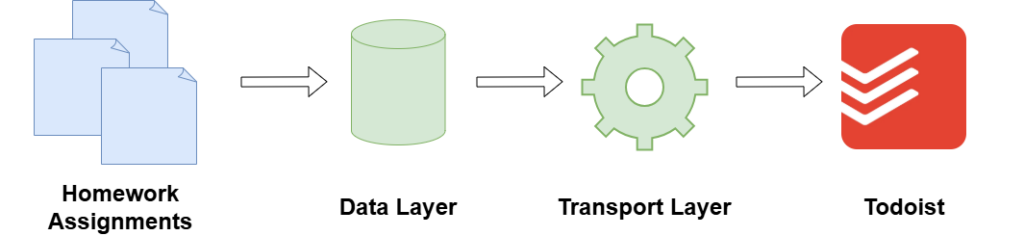
To keep things simple, I implemented the data layer and transport layer using some off-the-shelf open-source software.
Data layer
I implemented the data layer in Grist, which is like an Excel spreadsheet coupled with the data structure provided by a relational database. (If you’ve ever used Airtable or Coda before, Grist is very similar.) Indeed, Grist is basically a spreadsheet user interface overlaid on a standard PostgreSQL relational database. It also adds a few cool features that Excel doesn’t have, like native sandboxed Python formula support and a nice RESTful API.
The schema of my Grist database for this project is pretty simple. There’s only one table, where each row of the table represents an individual assignment. I’m storing the following metadata (columns) about each homework assignment:
- Description (what the assignment is, typically copied from a course syllabus)
- Deadline (when the assignment is due)
- Course (which course the assignment is related to)
- Whether the assignment has been completed
- Whether the transport layer has synced the assignment to Todoist
Here’s what the data model looks like in python:
@grist.UserTable
class Assignments:
  Description = grist.Text()
  Deadline = grist.Date()
  Course = grist.Choice()
  Completed = grist.Bool()
  Synced = grist.Bool()
Grist also has decent built-in analytics and charting functionality. I’m not using that much of it, but I’ve put together a small dashboard page that highlights a few interesting properties about my homework assignments:
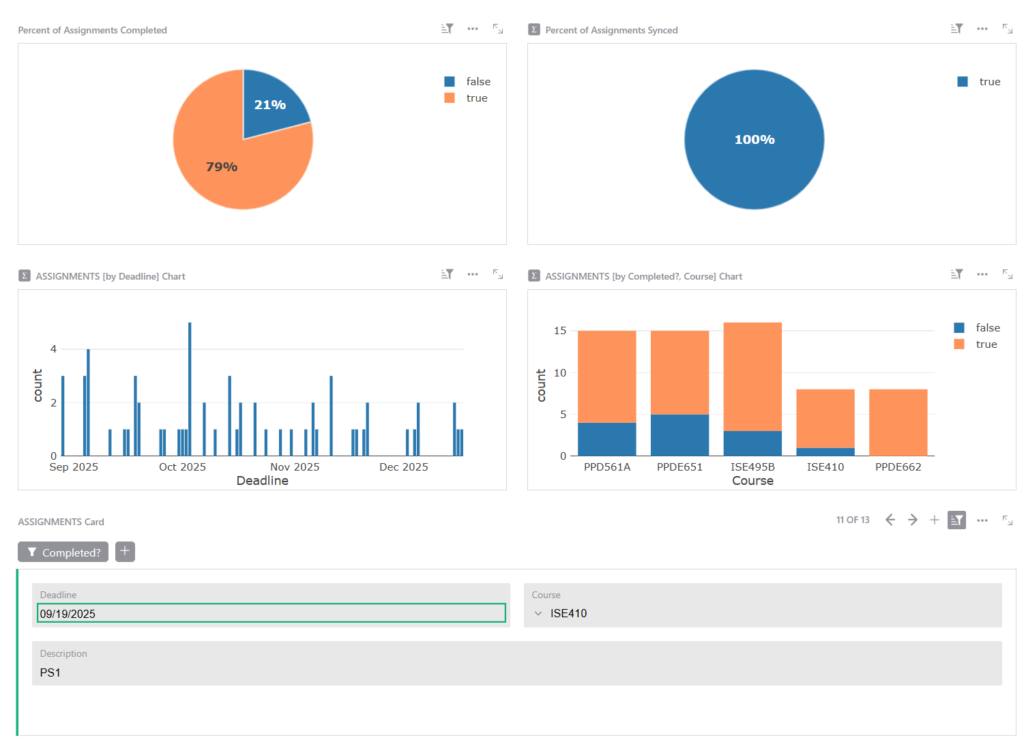
- Percentage of assignments I’ve completed: This one is a nice motivator during each semester 🙂
- Percentage of assignments that have been synced to Todoist: This helps me visually check that the integration with Todoist (i.e., the transport layer) is working correctly.
- Number of assignments by date: This makes it clear which dates have the most assignments due (helps me prioritize etc.)
- Number of assignments by course: It’s interesting to understand which of my courses have the most assignments. The example isn’t that dramatic but I certainly had semesters where one class would have 3x or 4x more assignments than all the others.
Grist automatically caches and indexes the database GROUP BYs that I’m calling here. It means the queries are always lightning fast!
Transport layer
I implemented the transport layer using N8N. If you’re familiar with Zapier, which was basically the OG in this space, N8N is pretty similar; it’s a low-code automation tool that lets me string together a variety of different APIs and online services to automate common or repetitive tasks. This project is as perfect a use-case for N8N as could exist, I think.
The nice thing is that N8N has built-in adapters (akin to having a native SDK) for both Grist and Todoist, which makes it perfect for “translating” data between both pieces of software. The native integration means I don’t need to deal with writing different API calls for each platform or trying to stay up-to-date with API versions; I can just GET data and PUT data in a nice, drag-and-drop GUI. (This project is meant to save time, after all!)
Also, because N8N remains (mostly) committed to open-source, their self-hosted product doesn’t have any limitations on how many times a given flow (i.e., one automated process) can run. Limitations on run count are probably the most common way similar SaaS products monetize themselves, but I don’t like this because it’s almost an anti-pattern: run limits are something that can mysterously and suddenly break all of your automations. I want this project to just work forever with minimal intervention.
Here’s what the flow in N8N looks like:

- The automation runs every 5 minutes (called by a cronjob/schedule trigger).
- A step sets some key variables, especially the internal ID of the Grist document holding all of my homework assignment data. This is a weird way to work around the fact that N8N still doesn’t really have support for locally scoped variables.
- A GET call is made to Grist to fetch all rows from the document specified in step 2.
- Any rows with column values all null are dropped.
- Any rows that have already been synced to Todoist are dropped.
- The values of the Deadline column from Grist are parsed into JavaScript Date objects (they come from Grist as ISO 8061 strings).
- Any rows whose Deadlines are more than 30 days away are dropped. This way my Todoist isn’t flooded with hundreds of new tasks at once. (n.b. the datasets I’m working with here are relatively small, which is why it it’s fine to do the filtering in N8N. At scale, it would obviously be much more efficient to filter in Grist at the database level.)
- For each row, a Todoist task is created.
- Each row that had a Todoist task created is marked as Synced = true.
- A notification summarizing what was done is sent via webhook to my personal Discord.
This isn’t a particularly complicated automation, but building it in N8N a) makes it easy and quick to assemble, and b) reduces the overhead of mantaining supporting infrastructure like the underlying runtime.
Todoist project
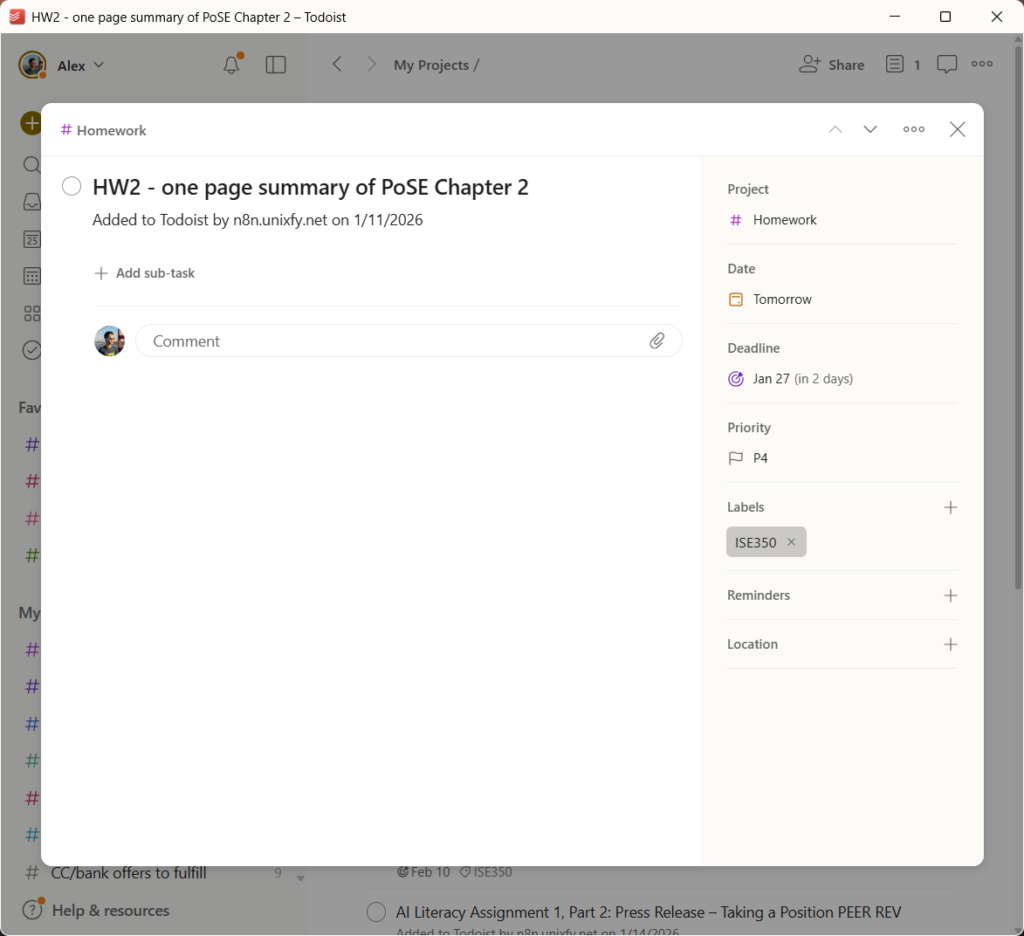
I’m not going to devote much attention to this component because it’s relatively simple. All of the Todoist tasks N8N generates feeds into a single “Homework” project. It looks like this.
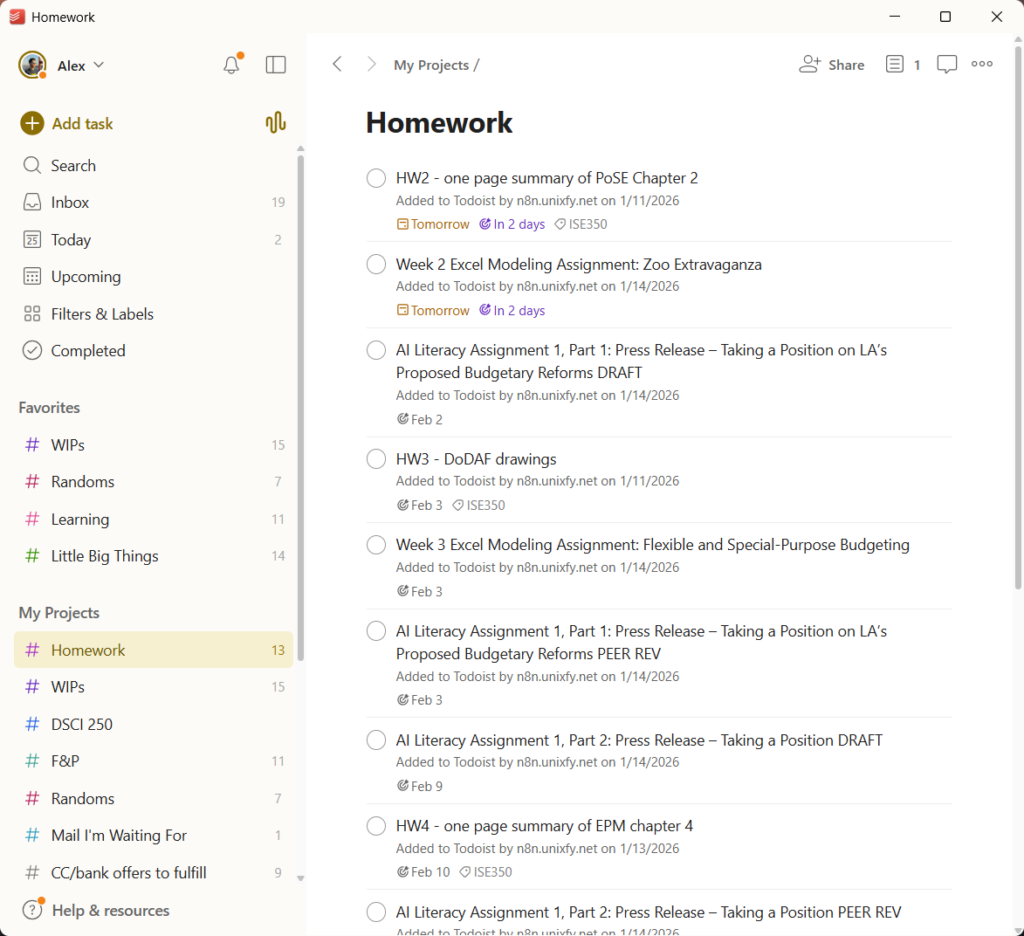
Each individual task represents one homework assignment (or one row in Grist). Most of the metadata is carried over from Grist as text, but assignment deadlines become Todoist deadlines (which is really useful because I can say that I’m working on an assignment today and not lose the information that the assignment is actually due in 2 days), while the course to which the assignment belongs becomes a Todoist labels (so I can see all assignments for a given class at a glance in Todoist).
Putting it all together
I’ve highlighted this project’s technical components, but it obviously doesn’t work without some work to put all my homework assignments into Grist / the data layer. I could have automated this, too, but it didn’t feel worth it given that I’d only have to do this six times at most: once for each semester of college I had remaining at the time I built this.
Instead, fittingly, I just have a Todoist task at the start of each semester to copy assignments from my various course syllabi into Grist. It works fine and only takes a few hours of effort every semester.
What’s missing
There’s a few other improvements I’ve wanted from time-to-time but didn’t end up building. Maybe you can iterate on this!
Writing back data from Todoist to Grist. You might have noticed that the data flow from above is unidirectional: the data flows from Grist to N8N to Todoist, and not the other way around. This means any changes to an assignment made in Todoist do not sync back to Grist; the most important example is that marking an assignment/task complete in Todoist doesn’t also mark it complete in Grist. I’ve wanted this functionality occasionally, but not frequently enough that I really felt compelled to build it. Plus, there’s a nice dopamine kick from being able to check off not one, but two checkboxes when completing a homework assignment.
Writing changes from Grist to Todoist after the first sync. You might have also noticed that I store the sync status of a given homework assignment as a boolean, which means that no additional updates will go from Grist to Todoist once an assignment has been synced for the first time. While it sounds ideal to have, there’s only a handful of cases where I’ve wanted this – mostly when I typo’d something in Grist which is easy enough to fix manually.
Time tracking. Right now, my analytics in Grist are based on the number of assignments due on a particular day as a way to roughly gauge my workload. This isn’t technically accurate since some homework assignments can take 5 minutes while others might take hours. Project managers already have a solution for this in the form of time tracking, or projecting how long each task will take as a means of predicting effort. This is a valid solution – but I’m not trying to replicate project management software myself, nor do I want to spend more time administering this project.
The possibility of downtime. I hear this a lot within the self-hosting community: using a SaaS is more reliable because their underlying infrastructure is better! That’s probably true; I’m running this in some Docker containers on a single dedicated server while larger SaaS companies might have autohealing/autoscaling on a hyperscaler’s platform. But I’d argue that the possibility of my homework tracker going down for some time doesn’t even matter – it’s only for my use and it’s hardly important enough that a few hours of downtime would bother me. I’d rather get a cool project and a nice blog post out of it.